
Does Sodium work with Forge? Officially, not with classic Forge, but yes with NeoForge. Since Sodium 0.6.0, released for Minecraft 1.21.1 in late 2024, CaffeineMC builds every version for NeoForge alongside Fabric, from the same code. Older Forge versions only ever had community ports. This page holds files of both kinds, so check which one you are downloading.
What each file here actually is
- sodium-neoforge-0.6.13 for 1.21.5 and sodium-neoforge-0.6.13 for 1.21.4: official CaffeineMC releases. Sodium is open source under the Polyform Shield license, and these are CaffeineMC’s own builds, not re-compiled ones. The NeoForge metadata names JellySquid and IMS212 as authors, the same people behind the Fabric original.
- sodium-forge-2.1.3 for 1.16.4–1.16.5 and sodium-forge-1.0 for 1.16.1: an unofficial Forge port from the 1.16 era. CaffeineMC did not make it and does not support it, and it gets no further updates. We keep it for old 1.16 Forge modpacks; for anything newer, use the NeoForge builds.
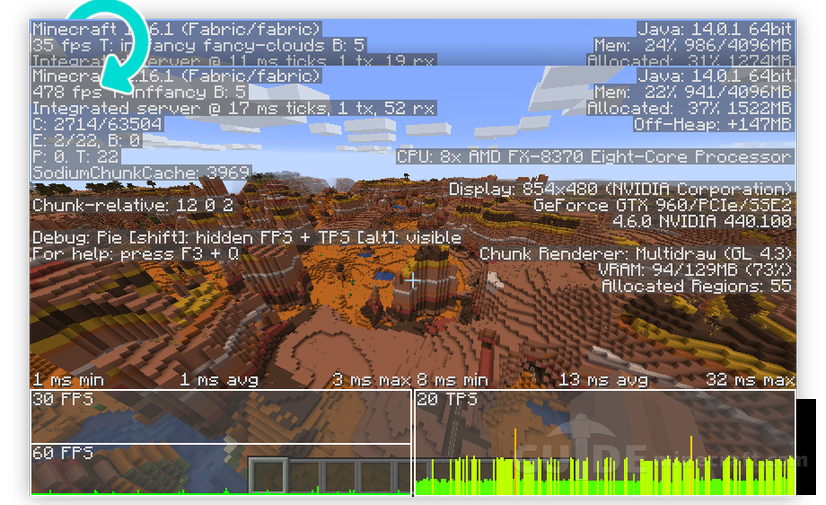
Both the 1.21.4 and 1.21.5 files here are on 0.6.13, the last 0.6 build CaffeineMC released for those versions, so you are not chasing an old Sodium to clear a rendering glitch.
Old 1.16 ports like this one tend to lag behind the upstream mod and clash with other Forge mods that touch rendering. If an old pack crashes on load with sodium-forge in it, removing that jar is the first thing to try.
Forge and NeoForge are not interchangeable
NeoForge started in 2023 as a fork of Forge, and the two have drifted apart since. A NeoForge jar will not load in Forge and the reverse is also true, so the loader name in the file matters as much as the Minecraft version.
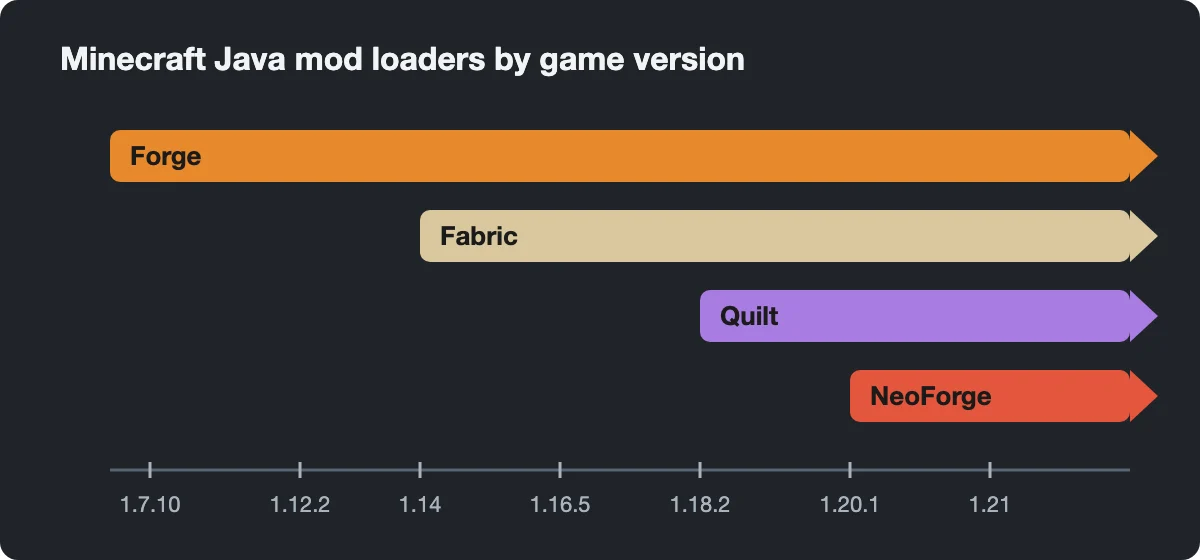
That leaves a gap. If you play a Forge pack on 1.18.2 to 1.20.1, official Sodium simply has no build for you. Players there use community forks with other names, Embeddium and Rubidium being the best known. We do not carry them on this page, and they cannot be combined with Sodium: the Fabric version of Sodium even lists Embeddium as incompatible. OptiFine remains the other Forge option on those versions.
Fabric or NeoForge for a fresh instance?
If no particular mod ties you to NeoForge, CaffeineMC’s own README recommends Fabric for new users, describing it as more lightweight and stable for the time being. The NeoForge build exists for people whose other mods are NeoForge-only. Version numbers match between the two loaders, so 0.6.13 on NeoForge carries the same renderer changes as 0.6.13 on Fabric.
Installing the NeoForge build
- Run the NeoForge installer for 1.21.4 or 1.21.5 and choose Install client.
- Put the matching sodium-neoforge jar in .minecraft/mods. No library mods are needed.
- Launch the NeoForge profile and open Video Settings. Sodium’s own options screen with page tabs means it is active.
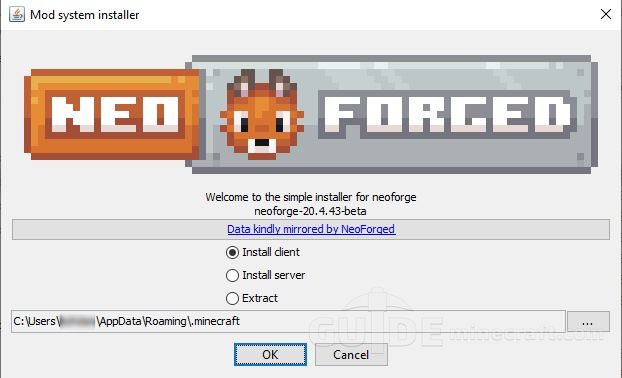
Remove any other renderer replacement first. A pack that already ships Embeddium or OptiFine should keep one of them, not both plus Sodium. Shaders work through Iris, which also has NeoForge builds and needs Sodium installed.
Adding a game-logic optimizer
Sodium only speeds up drawing the world. Entity AI, hoppers, redstone and other tick work happens elsewhere, and CaffeineMC’s answer for that is Lithium, which also has official NeoForge releases. Our Lithium for Forge and NeoForge page has the 1.21.4 NeoForge file, so a 1.21.4 instance can run both side by side.
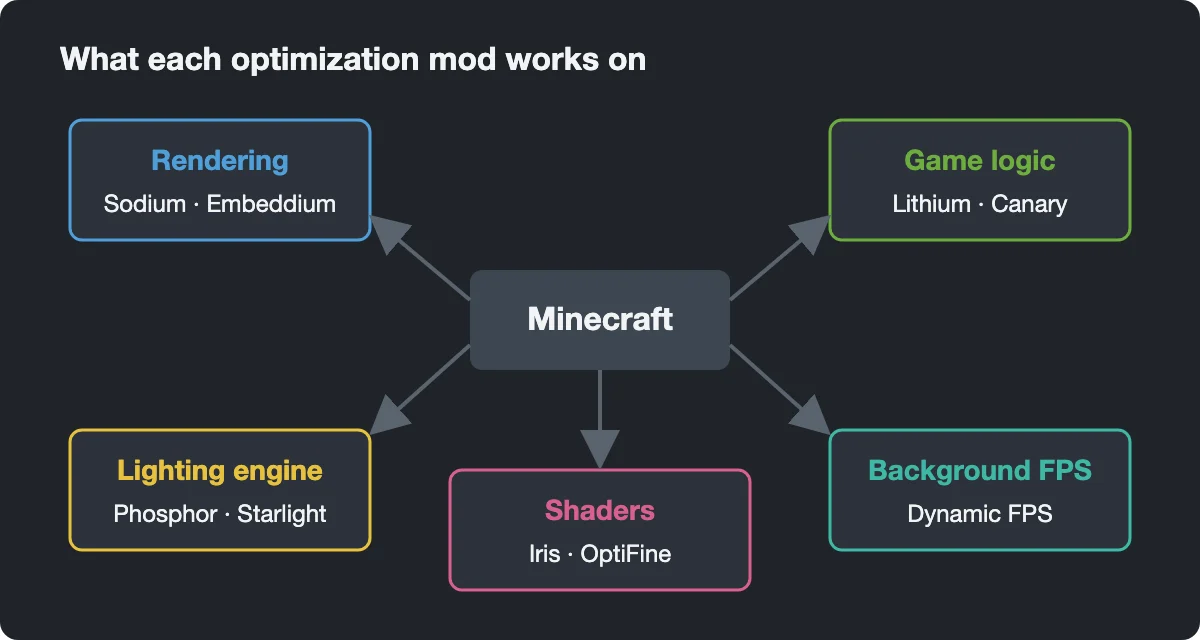
On older Forge versions, the Lithium side is covered by Canary, an unofficial Lithium fork for Forge 1.18.2 to 1.20.x.
is it good with optifine
does it work for tlauncher and i have 2gb pc it will work or not