
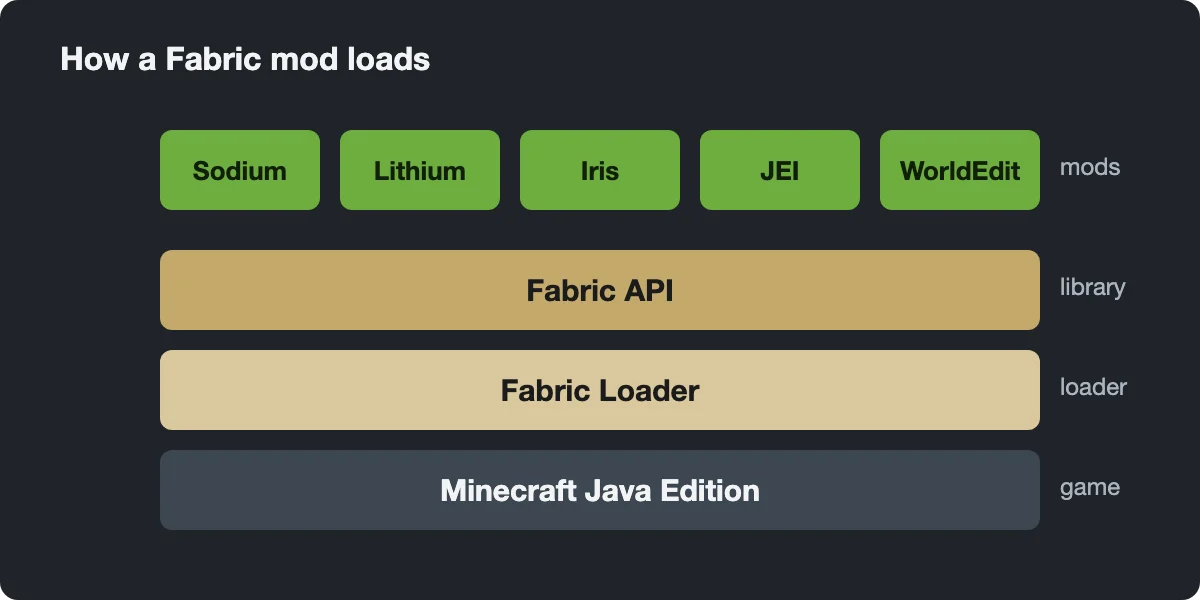
Fabric goes the opposite way from Forge. The loader is a small piece that injects mods into the game and almost nothing else, which is why it is ready for new Minecraft releases and even snapshots very quickly. Everything mods share, such as events, registries and networking helpers, sits in a separate library called Fabric API. The loader is also version-independent: the same Fabric Loader release normally runs every supported game version, from 1.14 up to the current 26.x drops, and only the game files change.
Three files people mix up
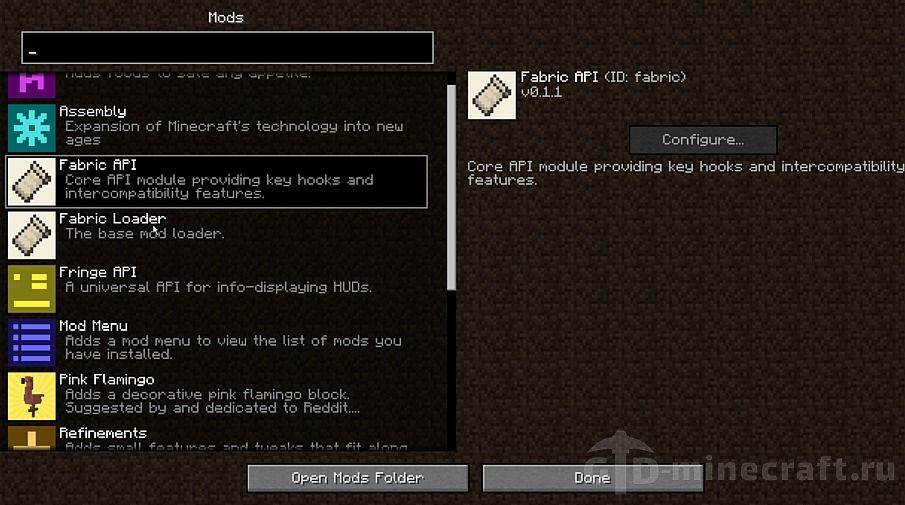
What you download here is the Fabric Installer, a helper that registers Fabric with your launcher. It is not the loader and not a mod. The installer fetches Fabric Loader from Fabric’s servers and creates a launcher installation for it. The third piece, Fabric API, is an ordinary jar that goes into the mods folder afterwards, and most Fabric mods will not start without it.
Installer numbers have nothing to do with Minecraft numbers. The labels in our list only show which game versions each installer was current for. On Windows you can use the .exe build, which runs on the Java bundled with the official launcher. The .jar builds work on any system but need Java installed separately.
Setting up Fabric in the official launcher
Close the Minecraft Launcher first; the installer warns you if it is still open. Run the installer and stay on the Client tab. Choose a Minecraft Version, leave Loader Version on the newest entry (the latest loader normally works with any game version) and check that Launcher Location points to your .minecraft folder. Keep Create profile ticked and click Install. On a PC that has both the Microsoft Store and the standalone launcher, the installer asks which one to use.
Now open the launcher. A new installation named fabric-loader- plus the game version (fabric-loader-1.21.4, for example) is waiting in the list next to Play. Its version folder carries both numbers, such as fabric-loader-0.19.5-1.21.4. Start it once so the mods folder gets created. Fabric has no mod list of its own; to see one in game, add Mod Menu.

The Server tab does the same for a dedicated server: it can download the official server jar and generate launch scripts in the folder you pick.
Versions, snapshots and loader updates
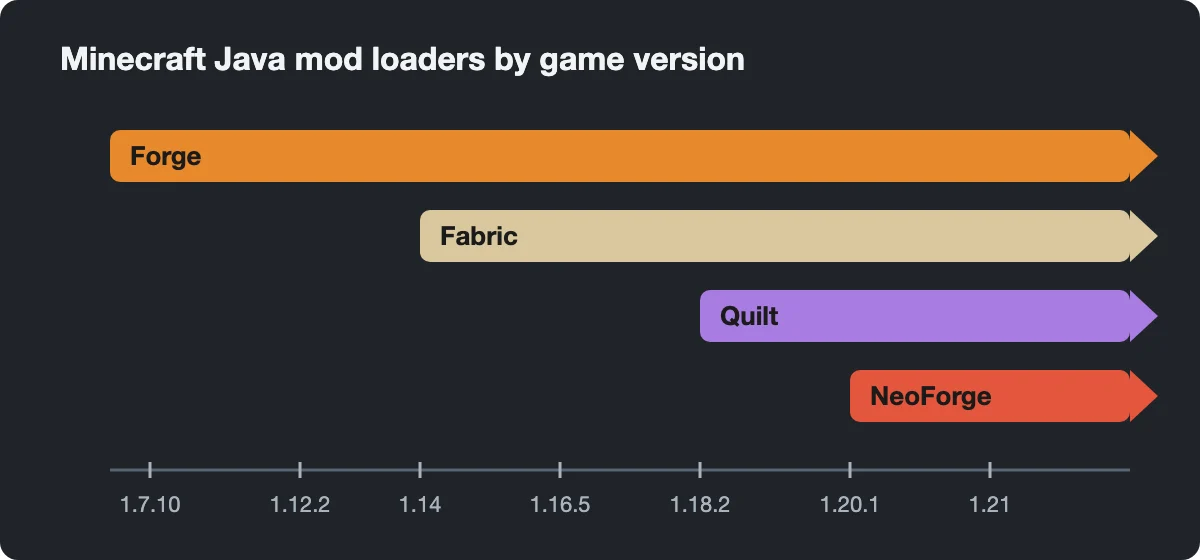
Fabric officially starts at 1.14, and our oldest installer is for 18w50a, one of the 1.14 snapshots. Anything older than 1.14 is outside the official project. To install on a snapshot, tick Show snapshots and the version list grows to include them. Fabric API usually follows quickly; at the time of writing Modrinth already lists builds for 26.4 snapshots.
Some mods require a minimum loader version and refuse to start on an older one, naming the version they want. The fix takes a minute: run the installer again, choose the same game version with a newer Loader Version, and launch the updated installation. Your mods folder stays as it was.
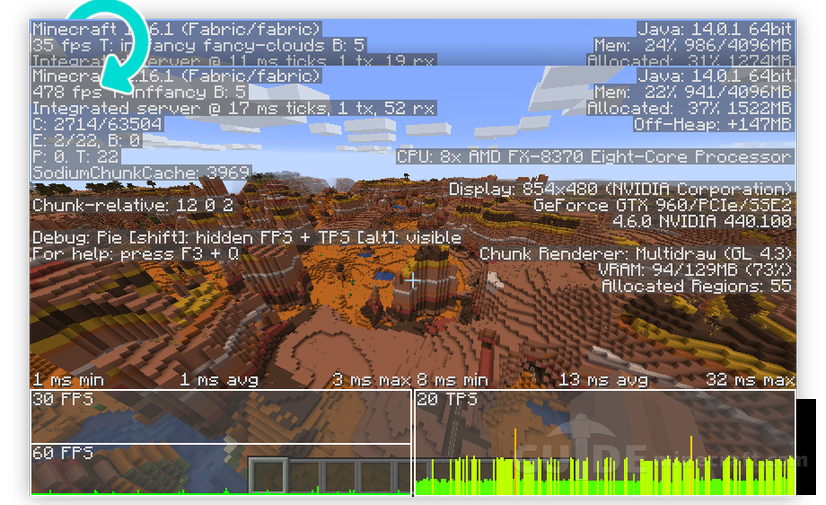
Fabric is popular for performance setups because the big optimization mods are Fabric-first. Sodium is the usual starting point, and our FPS guide explains what to pair with it.
If the Fabric installation misbehaves
- No fabric-loader entry in the launcher. Usually the launcher was open during the install, or Fabric went into the other launcher on a PC that has both. Close everything, run the installer again and pick the other option when it asks.
- The game starts but mods are ignored. Check that you launched the fabric-loader installation, not the plain release with the same number.
- Crash screen listing incompatible mods. Fabric checks every jar before the game opens and names the culprit. Jars built for a different Minecraft release and a missing Fabric API are the usual reasons. A Forge or NeoForge jar never runs on Fabric, whatever name it has, so take it out rather than hunting for a fix.
- Several modded versions fighting over one mods folder. The Fabric wiki suggests giving each installation its own folder: Installations, the three-dot menu, Edit, then change Game directory. A 1.20.1 set and a 1.21.4 set can then live side by side.
Fabric next to Forge, NeoForge and Quilt
Fabric mods and Forge or NeoForge mods are separate worlds: each jar is built for one loader, and putting the wrong kind into the folder only produces errors. Quilt is different. It grew out of Fabric and its loader runs most Fabric mods, so a Fabric jar usually works on Quilt while Quilt-only mods do not work on Fabric. In December 2025 the Quilt team discontinued its standard libraries, including Quilted Fabric API, saying it could not keep pace with Fabric API; Quilt Loader itself still receives updates.
Problem with version 0.11.2, i am completely unable to install it.
the addon just does not load
Ojala funcione el mod ?llevo días descargando un mod y no pude?????mi tablet es android
888
why its dosen t working!!!
cant get it to work
how do I activate it?
Cant get it to work. Running 1.16.4, loaded this mod, plus tabric, plus fabric api, all in /mods folder. Ran Fabris, then mod, It created 1.16,5 Fabric profile, you run it it runs ok. U presse B+G you get the User GUI. And thats it, B+O does nothing and its not showing any bounding boxes. Beats me.
hi
It says that the loader version 0.12.1 is needed..but where do I even get that?? I’ve been searching and looking at the fabric downloader for it, but I still simply cannot find it. Help is appreciated..
Just try to download the latest one, it should work for all previous versions
whats the latest one
it keeps crashing immediately
It does not sense it in the launcher
“run the file” WHAT FILE? WHERE IS “THE FILE” NOTHING IS LABELED YA TWAT
First, you’re going to want to make sure you have the latest version of Java 8 installed, then:
right-click fabric installer> “open with”> Java(™) Platform SE binary> follow installer instructions
ok listen it means use the installed file which is fabric file ok
its not that hard to figure out.
but i don`t know to