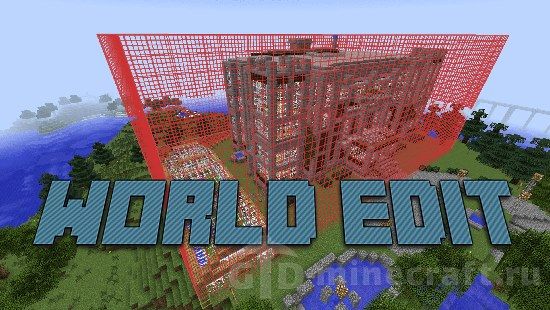
Most players who look for WorldEdit already know why: they have a build that would take a week by hand, or a patch of ground that needs flattening before anything can go on it. WorldEdit is the in-game editor from the EngineHub team. You mark a region, type a command, and thousands of blocks change at once. This page carries the Forge and NeoForge builds, from 1.7.10 up to 1.21.4. If your modpack runs on Fabric, the Fabric version of WorldEdit has its own page.
Forge or NeoForge: which file you need
WorldEdit is not a port maintained by someone else. EngineHub builds every loader from one codebase, so commands and config work the same everywhere. From 1.18.2 to 1.20.4 the release is even a single jar that loads on Forge and Fabric alike, which is why those files match the ones on the Fabric page. What changed is the loader itself. The last Forge release was WorldEdit 7.3.0 for Minecraft 1.20.4. From 7.3.1 (Minecraft 1.20.5) onward, EngineHub publishes NeoForge and Fabric builds only, and its install guide now lists Forge as not recommended.
- 1.7.10 to 1.20.4: use the Forge files and Minecraft Forge.
- 1.20.5, 1.20.6 and 1.21.4: the files here are NeoForge builds. They will not load in a Forge profile, so install NeoForge first.
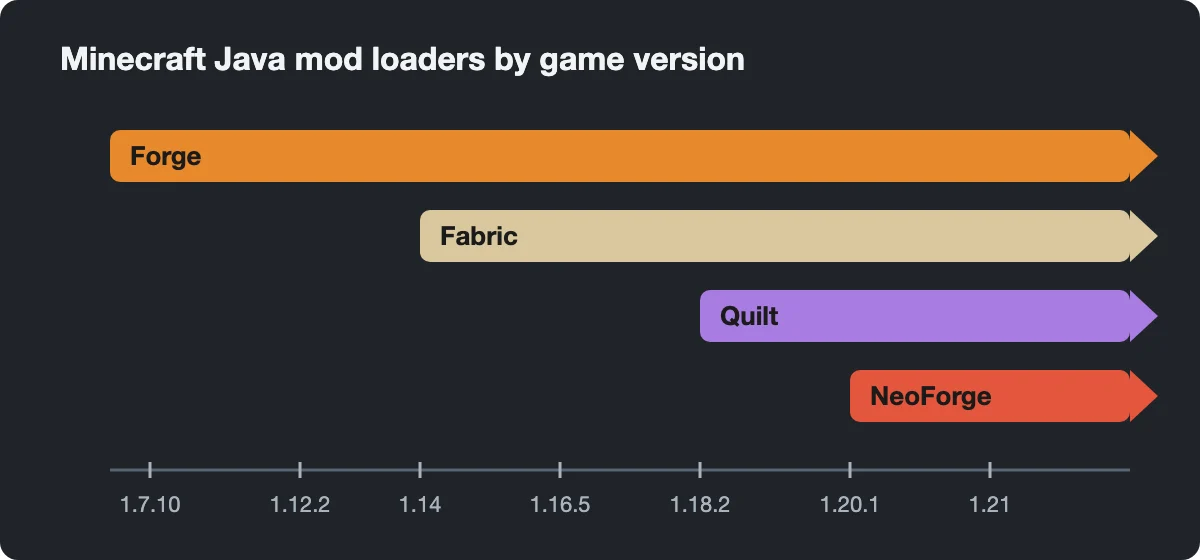
Stay on Forge if your other mods are Forge-only and you play 1.20.4 or older. For anything newer, the choice is between NeoForge and Fabric, and EngineHub suggests either one for singleplayer.
Making your first selection
Type //wand and you get a wooden axe. Left-click a block to set the first corner, right-click another block to set the second. Everything inside that box is now your selection. Two commands do the same without clicking: //pos1 and //pos2 use the block under your feet, which helps when you are flying, and //hpos1 / //hpos2 grab the block you are looking at from a distance.
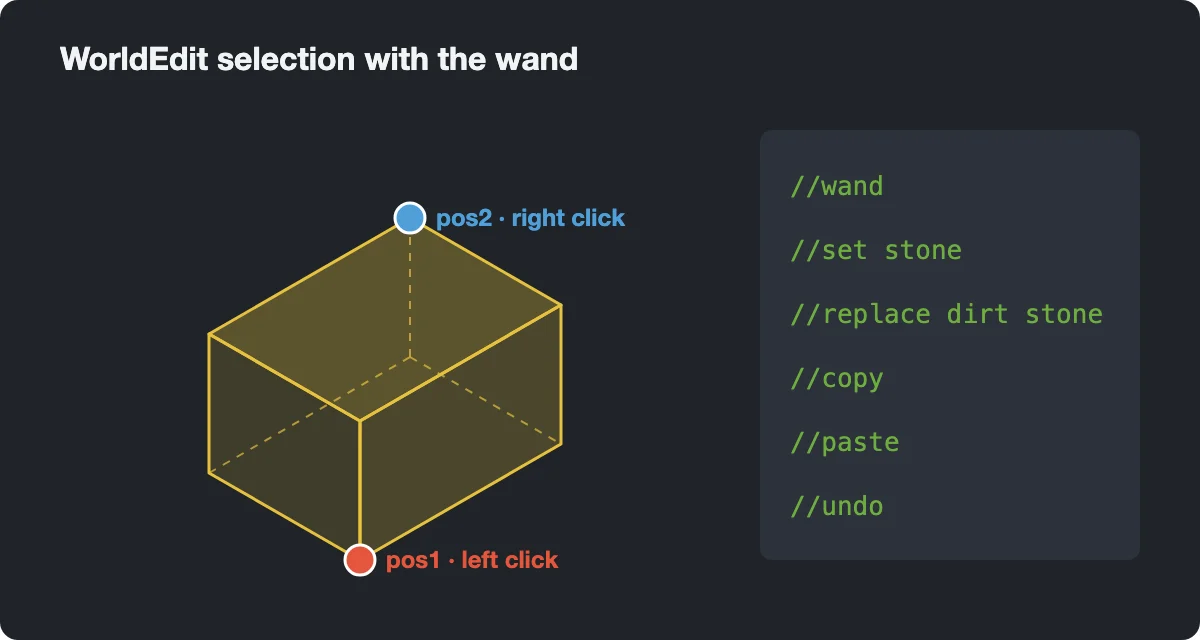
The box is the default shape. //sel switches to others: poly for a flat outline of any shape, sphere, cyl, ellipsoid, or convex. To grow a selection without re-clicking, use //expand 10 up or //expand vert, which stretches it from bedrock to the sky.
Commands worth learning first
A dozen commands cover most real work. Note the double slash: single-slash versions are either different commands or nothing at all.
- //set stone fills the selection. //set air clears it.
- //replace dirt stone swaps one block for another and leaves the rest alone.
- //walls builds four sides without floor or ceiling; //faces covers all six.
- //copy remembers your position relative to the selection, so stand where you want the paste to line up before copying.
- //paste places the copy relative to where you stand now. Add -a to skip air blocks, so the paste does not punch holes in existing terrain.
- //rotate 90 and //flip change the clipboard before you paste.
- //stack 5 north repeats the selection five times, which is how long walls, bridges and rows of houses get built.
- //undo and //redo step back and forward. WorldEdit keeps your last 15 actions by default.
Undo has limits. It records only direct edits, so water that flowed out of a broken wall or sand that fell after you removed its support will stay. Before reshaping a world you downloaded from our maps section, copy its save folder: fifteen undo steps run out faster than you expect.
Brushes and saved builds
Brushes are for shaping ground rather than boxes. Hold any item, type /brush sphere stone 4 (or the short form /br s stone 4), and from then on right-clicking with that item drops a stone ball wherever you aim. /br smooth 6 rounds off jagged hills, /size changes the radius, and /mask grass_block limits a brush to certain blocks. /brush none turns the item back into a normal item.
To keep a build for later, copy it and run //schem save castle. On Forge and NeoForge the file lands in config/worldedit/schematics inside your game folder. That folder does not exist until you save the first schematic, so do not worry if you cannot find it after installing. Current versions write the .schem format. Old .schematic files from pre-1.13 tutorials still load with //schem load, but WorldEdit will not save new ones in that format.
Installing and the permission message
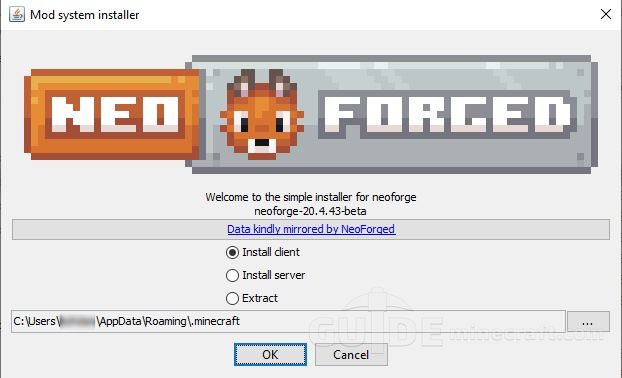
- Install Forge (up to 1.20.4) or NeoForge (1.20.5 and newer) for your exact game version.
- Drop the WorldEdit jar into the mods folder of your game directory. No other library mod is needed.
- Start the game, open a world and type //wand. If an axe appears, it works.
The most common complaint is that commands do nothing or report no permission. In singleplayer, WorldEdit requires cheats to be enabled for the world. If you created the world without cheats, open it to LAN with cheats turned on for that session. On a server, only operators can use it unless the admin sets up permissions. Settings such as the wand item and the schematics folder live in config/worldedit/worldedit.properties.