
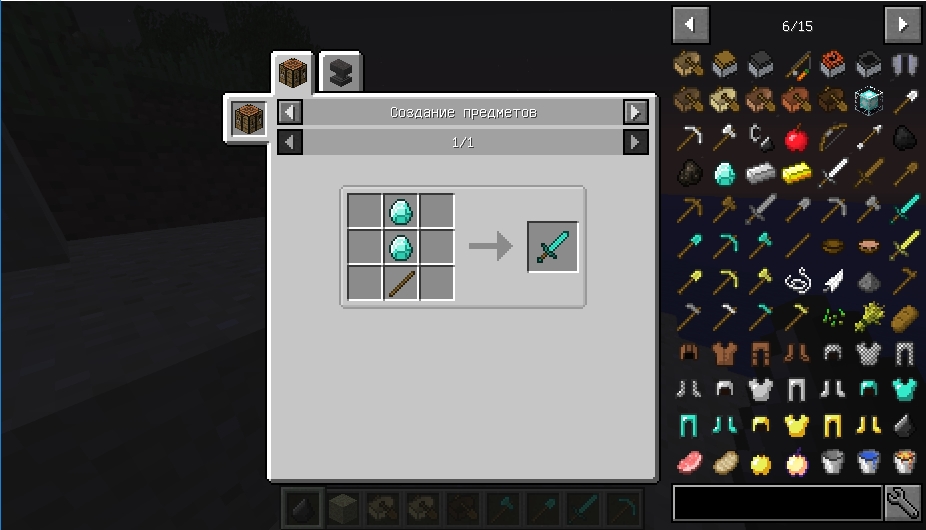
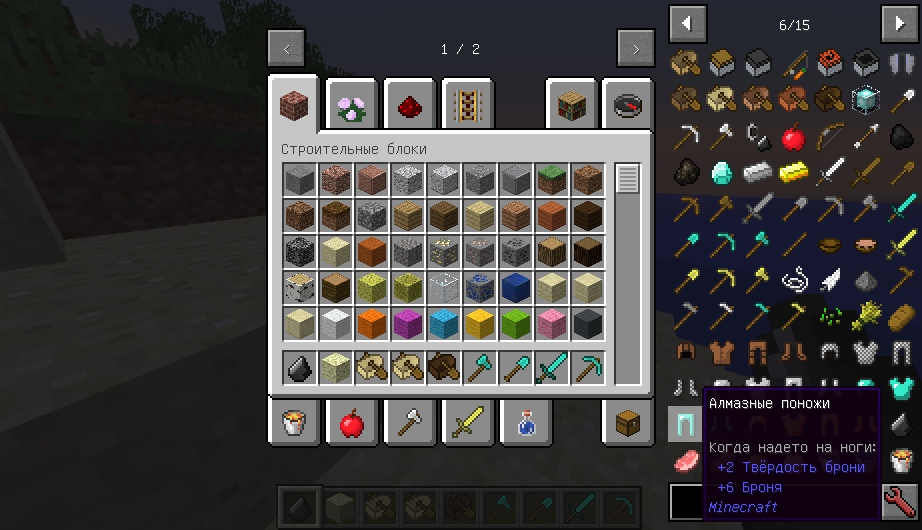
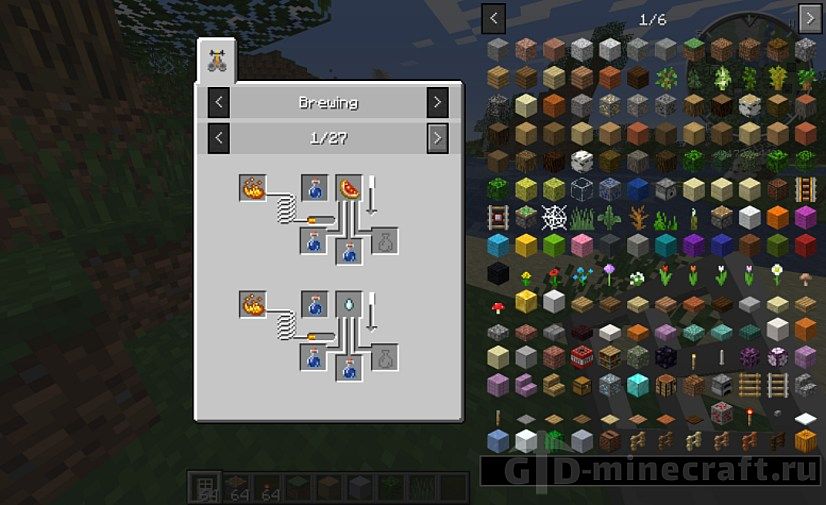
Just Enough Items, usually shortened to JEI, is the recipe viewer most Forge modpacks are built around. It is written by mezz and grew out of the gap left by NotEnoughItems: our download list goes all the way back to Minecraft 1.8, and the mod has kept the same basic idea since then. Open any inventory and a searchable list of every item in the game appears on the right. Point at something, press a key, and JEI shows how it is made and what it is used for, including items and machines added by other mods.
This page carries the Forge builds and, for 1.21.1, the NeoForge build. Playing on Fabric? The Fabric edition of JEI has its own page, because its story and its competition are different.
Controls you will use in the first five minutes
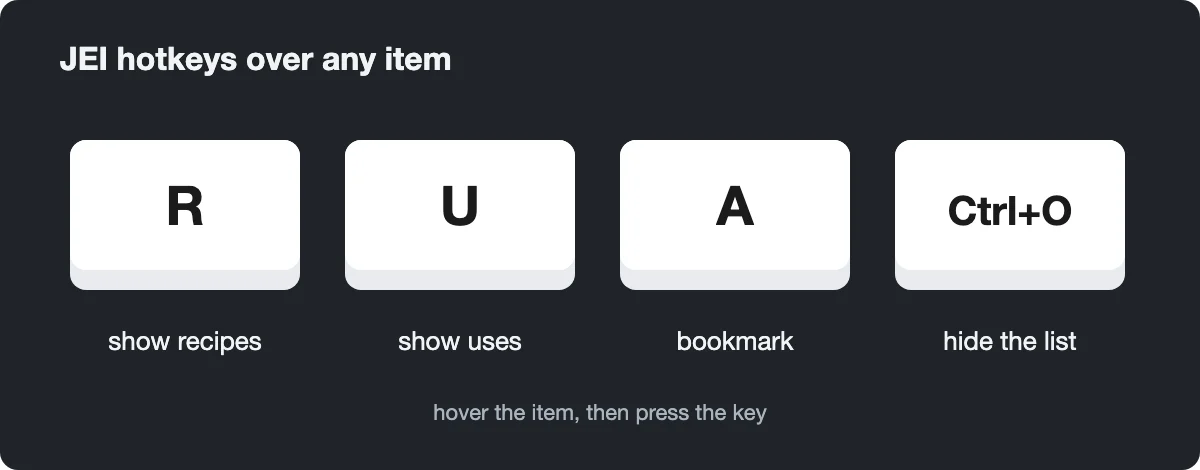
Everything works by hovering. Put the cursor over an item, in your inventory, in a chest or in the JEI list itself, and press:
- R to open the recipes that produce it. Left-clicking an item in the list does the same.
- U to see every recipe that consumes it. Right-click in the list works too.
- A to bookmark it. Bookmarks stack up in a second list on the left side of the screen, so you can keep track while collecting parts for one big build.
- Ctrl+O to hide or bring back the whole item list.
- Ctrl+F to jump into the search bar without touching the mouse.
Inside the recipe window, Backspace steps back to the previous recipe, the scroll wheel flips pages, and clicking a category name shows every recipe of that type. All bindings live in the normal Minecraft Controls menu, so if R clashes with another mod you change it there.

Search prefixes worth learning
Typing a plain word filters by name and tooltip. Prefixes narrow it further, and you can combine several terms in one query. In current builds (the 1.21.1 files here) the defaults are:
- @ followed by a mod name, for example @create, lists only that mod’s items.
- # searches item tags, so #logs pulls up every log in the pack.
- $ searches tooltip text; plain words already do this by default.
- – in front of a term excludes it, and quotes keep two words together.
- | between terms means “either”, as in wrench|hammer.
Three more prefixes exist but are switched off until you enable them in the config: % for creative tab, ^ for colour and & for the item’s resource ID. Older versions used different symbols. On 1.12.2 and earlier, # searched tooltips and $ searched OreDictionary names, which is why old forum answers contradict each other.
Cheat mode, the [+] button and hiding items
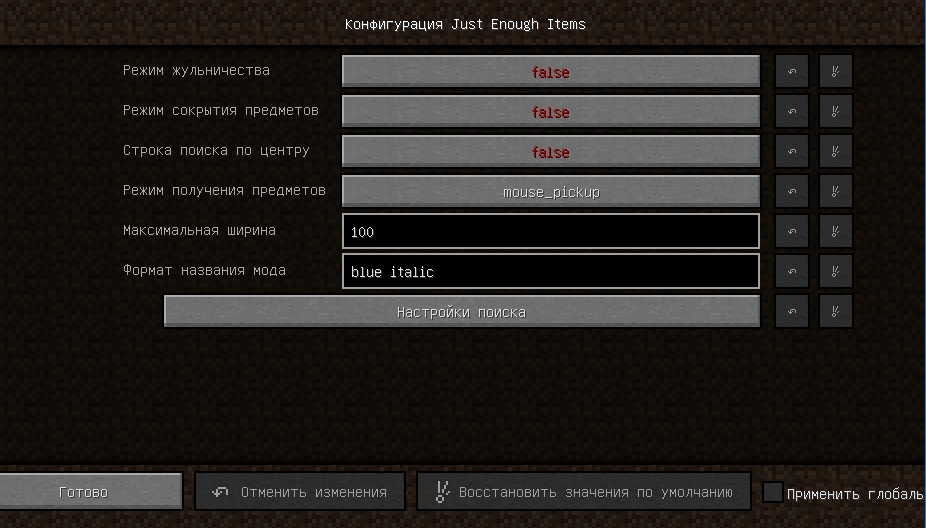
The wrench icon next to the search bar opens the settings. Ctrl+click it instead and cheat mode turns on, so clicking an item in the list gives it to you. In the 1.21.1 builds a click hands over one item, while Shift+click or a middle click gives a full stack. Dropping an item onto the list deletes it.

In survival, the useful button is the small [+] under a crafting recipe. With a crafting table open, it moves the ingredients from your inventory into the grid; Shift+click fills as many sets as you can afford. In edit mode, also reached from the settings, you can Ctrl+click items to hide them from the list, which cleans up packs full of technical blocks.
Forge or NeoForge, client or server
For 1.21.1 we keep both a Forge and a NeoForge file. Pick the one matching your loader; they are built from the same code. Official Forge builds stop at 1.21.1, and mezz continues on NeoForge for later Minecraft releases. If your pack has already moved past 1.21.1 on the Forge side, NeoForge is where JEI lives now.
On 1.21.1 and older, JEI runs fine on the client alone, even on a server without it. A few things switch off in that case: the [+] transfer button, deleting items, and cheating in items with heavy NBT data. From 1.21.2 onward Minecraft stopped sending recipes to the client, so JEI has to be installed on the server too.
Mods that plug into JEI
Most large Forge mods ship their own JEI integration, which is why furnaces, grinders and altars from a tech mod appear as separate recipe tabs instead of being invisible. A few dedicated companions add more:
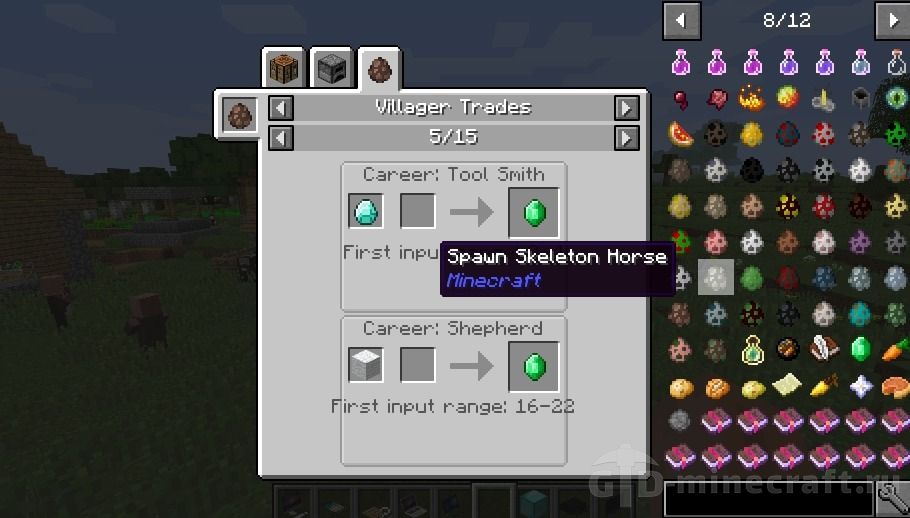
- JEI Villagers lists what each villager profession trades, for 1.12.2 packs.
- Hwyla and its fork WTHIT show what block you are looking at; JEI answers how to make it.
- AppleSkin adds hunger and saturation numbers to food tooltips, including inside the JEI list.
If you prefer a different look, Roughly Enough Items also runs on Forge and can read JEI plugins, but do not run both viewers at once.
Installing JEI on Forge
- Run the Forge installer (or the NeoForge one) for your exact Minecraft version and launch that profile once.
- Download the JEI file that names the same version and loader. JEI has no required library on these builds.
- Drop the jar into .minecraft/mods, or the mods folder of your launcher instance.
- Start the game and open your inventory. If the item list fills the right side of the screen, it worked; if not, press Ctrl+O once in case it is simply hidden.
JEI has a vote for Joe Biden button.
Joe Biden is a pedophile and a crook.
0 Stars, I use REI.
Maria
super modyfikacja
Shaders